Choosing the Best Printers for Art Prints
Intro
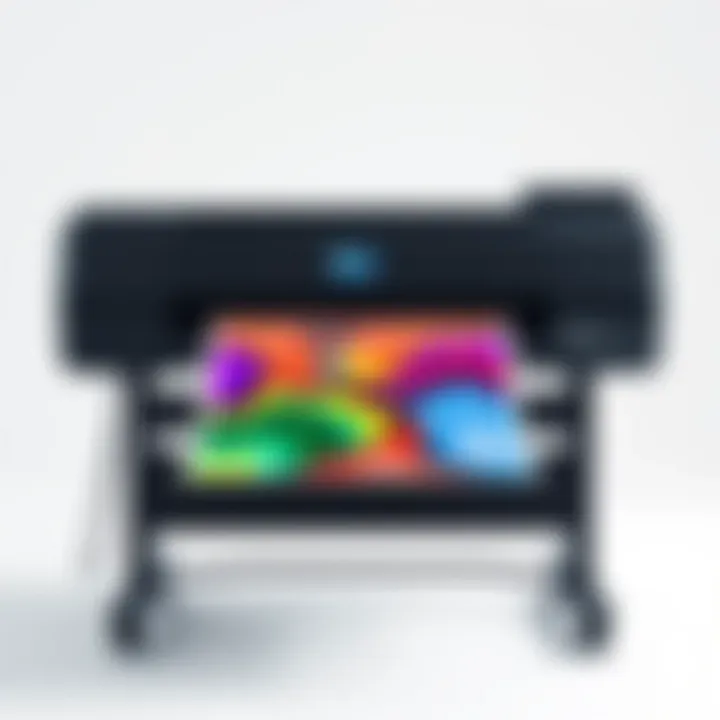
When diving into the world of art printing, the choice of printer can make or break the final outcome of your creative work. Whether it's a breathtaking landscape or a finely detailed illustration, the right printer ensures that your vision is brought to life with accuracy and vibrancy. Artists, designers, and even hobbyists should consider multiple factors when selecting a printer tailored for high-quality art prints, as standard printers simply can't capture that essential nuance.
In the modern market, numerous models boast impressive specs, but not every printer ticks all the boxes for artistic needs. Color fidelity, media handling capabilities, and overall cost-effectiveness play pivotal roles in the selection process. For this reason, understanding the key hardware components and their impact on print quality is paramount.
From domestic to professional use, pinpointing the ideal printer delves deeper than just brand preference or price point. It involves evaluating technical specifications and harnessing advancements in printing technology. Throughout this article, we will dissect the criteria that contribute to exceptional art print quality, guiding creative minds towards informed choices.
As we navigate through the hardware and software facets of art printers, we will shed light on performance metrics and user experiences that define the art printing journey. Armed with this knowledge, you will be in a better position to elevate your art from the digital stage to tangible prints that resonate with viewers.
Foreword to Art Printers
In the ever-evolving world of art and technology, selecting the right printer has become a pivotal part of an artist's toolkit. For artists, the choice of printer goes beyond mere functionality. It's about achieving a vision, capturing colors with precision, and translating emotions onto tangible media. Therefore, understanding the nuances of art printers versus standard printers is not just beneficial; it's essential.
Artists operate in a realm where every shade of color counts, every detail matters, and thus, the printer they use must deliver high-quality results that reflect their intentions. Art printers, designed specifically for this purpose, boast features that cater to the unique demands of artistic work.
Understanding the Needs of Artists
In the art world, an artist's focus is often split between vision and execution. They need tools that not only support their creative expressions but enhance them. For instance, an artist creating vibrant landscapes will require a printer capable of producing rich, saturated colors without compromising on accuracy. Furthermore, the paper used can drastically alter the final outcome. An artist might favor textured, fine art papers for certain projects while needing glossy finishes for others. This variability in requirements calls for printers that offer a wide range of media compatibility.
Moreover, factors like print longevity are crucial. Artists want their work to stand the test of time, echoing their legacy long after it is created. Thus, selecting a printer that uses archival-quality inks can ensure that prints resist fading and yellowing over the years, keeping the integrity of their work intact.
Differences Between Art Printers and Standard Printers
At a glance, art printers and standard printers might appear similar, but the differences run deep. Standard printers, typically designed for everyday tasks such as document printing, do not necessarily prioritize color accuracy and high resolution. They may produce acceptable results for general use but fall short for projects that demand precision.
Art printers, conversely, are often equipped with specialized inks, like pigment-based inks, that allow for a wider gamut of colors and smoother gradients. These printers also tend to support larger formats, which is beneficial for artists looking to create oversized prints.
Key distinctions include:
- Ink Types: Art printers often use more colors in their ink cartridges—sometimes up to twelve—allowing for more subtle color transitions.
- Resolution: Art printers typically offer higher DPI, leading to more detailed prints which is essential for artwork with fine line work or intricate textures.
- Media Handling: These printers often accept a wider variety of media, from canvas to heavyweight fine art paper.
Choosing the right printer is ultimately a balance of understanding these variances and aligning them with personal artistic needs. The right art printer can elevate an artist's work, turning a vision into a striking print that resonates with viewers.
Key Features to Consider
When it comes to selecting printers tailored for producing art prints, understanding the key features is essential. The right printer can transform your creative vision into a tangible masterpiece, but figuring out what makes one printer superior to another can be a head-scratcher. Therefore, we'll delve into crucial elements such as color accuracy, resolution, and media compatibility, dissecting the benefits and considerations of each.
Color Accuracy and Gamut Range
Color accuracy is paramount for artists; it's the difference between an artwork that pops off the page and one that falls flat. Essentially, color accuracy refers to how well a printer reproduces the colors originally intended by the artist. A printer with a wide color gamut can produce a broader spectrum of colors, making those vibrant hues and subtle shades come alive.
To put this in perspective, imagine you're printing a portrait that features a delicate gradient of skin tones. If your printer can't accurately reproduce those shades, you may end up with an unrealistic representation, leaving your audience less than impressed.
Some printers achieve this feat by utilizing multiple ink cartridges, broadening the color range they can manage. Hence, when selecting a printer, it’s beneficial to review its color gamut specifications. Look for terms like Adobe RGB or ProPhoto RGB, as these indicate a wider color range and improved accuracy, which are crucial for artistic work.
Resolution and DPI: What Matters?
DPI, or dots per inch, is a term that comes up frequently in discussions about printer capabilities. High DPI numbers typically associate with fine detail and sharper images, making it an important consideration for art prints. However, it’s essential to understand that DPI alone won’t make or break your printing quality. It often works hand-in-hand with other features like color accuracy and the type of media used.
For example, a printer boasting a DPI of 1200 might sound fantastic, but if it lacks the ability to manage a broad color gamut, you could wind up with prints that are technically sharp but lack life and vibrancy. On the flip side, a printer with a lower DPI but superior color management can yield a far better end product. Therefore, while shopping, assess how the DPI aligns with your artistic requirements, and don’t merely chase the highest number.
Media Compatibility
Media compatibility is another vital feature that can influence not just print quality but also the versatility of your artwork. Different printers are designed to work with various materials, from traditional paper to canvas, and benchmarks like GSM (grams per square meter) can help establish suitability. If your artistry demands a specific type of paper or a canvas that holds ink differently, then securing a printer that accommodates these media is crucial.
Some printers offer an array of options that allow you to print on a variety of materials, while others might be limited to standard printing paper. Additionally, make sure to factor in the maximum thickness of media the printer can handle, especially if you want to push the envelope with thicker materials or specialized substrates. A printer that can't keep up with your creative choices can severely limit artistic expression.
- In summary:
- Color accuracy is key for representing your artistic intent.
- DPI is important but must be contextualized with other features.
- Media compatibility allows flexibility in material choices.
"Choosing the right printer is not just about the specs on paper; it’s about how those features embody your vision."
By focusing on these key features, artists can approach their printer selection with greater confidence and cater to their unique artistic needs effectively.
Types of Printers for Art Prints
Selecting the right printer for art prints is no trivial matter. It’s akin to picking the right brush for a painting or the ideal canvas. Different types deliver distinct results, and understanding these variations is essential for artists aiming for that perfect replication of their creative works. The better-informed the selection is, the more satisfying the final product will be. Each printer type has its unique set of pros and cons, which can significantly affect the quality and longevity of the prints, as well as cost effectiveness. Here, we break down the principal categories: Inkjet, Dye-Sublimation, and Laser printers.
Inkjet Printers
Advantages
Inkjet printers are favored for their ability to produce stunning color prints that bring artwork to life. Their key characteristic lies in the precision of ink droplets, which allows for vivid colors and intricate details. Artists often opt for inkjet models because they handle a wider range of media, giving users the freedom to print on everything from standard paper to textured art sheets. The variety of ink types, including pigment and dye-based options, forms another appealing aspect of inkjet printers. Moreover, many high-end models support large format printing, enabling the reproduction of elaborate pieces in impressive dimensions.
Disadvantages
On the flip side, the disadvantage of inkjet printers is that they can be a bit demanding when it comes to maintenance. If unused for a period, the nozzles may clog, leading to inconsistent print quality—something no artist wants. Additionally, the cost of replacement ink cartridges can quickly accumulate, especially for those who print frequently. Some paints may not be as long-lasting, making durability a concern for artists preparing prints for the market.
Best Models
When it comes to best models, the Canon imagePROGRAF PRO-1000 stands out thanks to its exceptional color accuracy and wide color gamut. It’s a common choice among professionals looking for high-quality output. Another popular model is the Epson SureColor P800, which provides a great balance of affordability and quality for serious hobbyists. These models exemplify the benefits of inkjet technology, making them worthwhile considerations for artists aiming for high-quality prints.
Dye-Sublimation Printers
Advantages
Dye-sublimation printers utilize a fascinating technology that turns solid dye into gas to penetrate the material, resulting in prints that are vibrant and highly resistant to fading. The key characteristic of these printers is their capability to produce continuous-tone colors, making images appear smoother and with consistent quality. Their prints are also water-resistant, which adds a layer of durability for pieces that might face wear over time. This makes dye-sublimation printers a popular choice for photographers and artists who want to offer long-lasting prints.
Disadvantages
However, these models aren’t without their downsides. A notable drawback is the original cost; they are typically more expensive than standard inkjet printers. Also, while dye-sublimation works wonders on certain materials like fabric and specially coated papers, it might not be applicable for all media, limiting the creative options for some artists. This can be a significant factor for those looking to diversify their print portfolio.
Best Models
Some of the best models include the Epson SureColor F570, praised for its consistency and output quality, ideal for textile-based prints. Another strong contender is the Sawgrass Virtuoso SG500, notable for its ease of use and adaptability, catering to a variety of substrates and sizes. Both models demonstrate how dye-sublimation can elevate print quality while providing flexibility.
Laser Printers
Advantages
Laser printers are often overlooked for fine art prints, but their strengths lie in speed and efficiency. The key characteristic of laser printers is their ability to handle high-volume printing without sacrificing print quality. They use toner rather than ink, which can be more cost-effective over time, especially for artists who produce large runs. With sharp text and graphics, laser models produce clean lines, making them a viable option for art forms that require high precision.
Disadvantages
On the other hand, laser printers can struggle to reproduce the subtle gradient and shadows that are typically vital to fine art prints. The color accuracy can fall short when compared to inkjet or dye-sublimation alternatives. This limitation may deter artists who need a wide and vibrant color spectrum to accurately express their work. Additionally, their initial price can be higher than some inkjet models, leading to consideration of budget constraints.
Best Models
The HP Color LaserJet Pro MFP M477fdw garners attention among artists for its versatility and good color reproduction. Meanwhile, the Brother HL-L8360CDW is favored for its low running costs and efficiency, useful for those who wish to maintain print scalability without breaking the bank. Both models exemplify the unique strengths of laser technology, offering artist solutions that combine performance and productivity.
Top Printers for Art Prints
When it comes to producing art prints, the printer you choose can be the linchpin of your creative process. Not all printers are made equal, and the right one can elevate your work from a simple image to a stunning display of artistry. This section aims to dissect various printers available on the market and guide you to make an informed decision based on your needs and preferences.
High-End Options
Model Names
High-end printers like the Epson SureColor P800 or Canon imagePROGRAF PRO-1000 exemplify the pinnacle of printing technology. These models are celebrated for their unparalleled color accuracy and superior print quality. Artists often favor these due to their ability to handle a wide range of media types, from thick fine art paper to glossy photo papers. The unique aspect of such printers lies not just in their specs but also in their ability to reproduce intricate details that are essential for serious art practitioners.
Price Range
The price range of high-end printers typically hovers between $1,000 to $2,500. While this may seem steep for some, the investment pays off in the long run, especially for those looking to sell prints. The output quality can often justify the expense, making them a solid investment for professional artists. However, it's essential to consider whether the price aligns with your art-making goals, as the high upfront cost can be a dealbreaker for hobbyists.
Target Audience
High-end printers cater primarily to professional artists and photographers who require top-notch quality and precision. It’s also a viable option for art studios where multiple prints are produced regularly. The audience for these printers often seeks longevity in their prints, which translates into using archival inks and papers. Thus, they value durability and color fidelity much higher than the price they are paying.
Mid-Range Choices
Model Names
Mid-range options like the Canon PIXMA Pro-100 or Epson Expression Photo HD are solid choices that balance quality and affordability. These models are known among many artists for delivering impressive colors without breaking the bank. The standout feature of these printers is their ability to produce vibrant colors and smooth gradations, making them suitable for art prints while offering a reasonable price tag.
Price Range
Most mid-range printers can be found within the $500 to $1,000 bracket. Such pricing makes them accessible for emerging artists or those diving into the world of art prints. While they may not provide the same level of detail as high-end alternatives, they still deliver quality that is more than adequate for many applications without needing a hefty investment.
Target Audience
The mid-range printer market appeals to a mixed bag of light professionals and dedicated hobbyists. This group typically includes those starting their journey in art printing and might not have the budget for top-tier models. The accessibility of these printers allows artists to explore their creativity while maintaining a balance between quality and cost.
Budget-Friendly Printers
Model Names
Budget options like the HP Envy Photo 7155 or Canon PIXMA TS6220 offer good starting points for those new to art printing. While these are not specifically designed for high-end art prints, they can do a decent job for casual printing needs. The defining characteristic of these models is their versatility to handle everyday printing tasks alongside occasional art prints.
Price Range
Budget printers usually fall in the $100 to $300 range, making them perfect for anyone just dipping their toes into the art of printing. The low pricing comes with trade-offs in quality and features; however, for someone just starting out, they can be more than sufficient.
Target Audience
Budget-friendly printers are targeted towards students or artists who are not yet ready to commit substantial financial resources into art printing. This audience values functionality over premium features and generally seeks a printer that fits a range of printing needs without overwhelming investment. They may not need the utmost in quality, but they do require a reliable machine that can handle their projects as they learn and grow.
Choosing the right printer really hinges on understanding your personal artistic goals, technical needs, and budget limitations.
By understanding the different levels of printers available, you can better gauge what works for your specific requirements and artistic aspirations.
Software Considerations
Selecting the right software is just as crucial as choosing the printer itself when it comes to producing high-quality art prints. The seamless interaction between art creation and printing relies on the software's ability to manage color profiles, prepare high-resolution files, and ensure meticulous layout adjustments. As the technology evolves, the right software can significantly enhance the final output, offering a blend of precision and ease of use. Whether you're editing digital images or creating intricate designs, having the right set of tools helps artists present their work in its finest form.
Best Software for Print Preparation
Adobe Photoshop
Adobe Photoshop stands as a titan when it comes to preparing images for printing. One of its standout features is the robust support for layers, allowing artists to manipulate images with precision. Furthermore, it excels in color management through its advanced color correction tools.
A key characteristic of Photoshop is its ability to handle large file sizes without sacrificing quality. This makes it a go-to choice for artists producing high-resolution art prints. Its versatility in supporting various file formats adds to its appeal, ensuring photographers and artists can work with their preferred mediums seamlessly.
However, this software does come with its disadvantages. Its steep learning curve can prove daunting for beginners, and the subscription model may deter some users. Ultimately though, for professionals and devoted hobbyists, Adobe Photoshop offers unmatched flexibility and power in print preparation.
CorelDRAW
CorelDRAW shines in the realm of vector graphics, making it particularly useful for artists whose work leans on illustrations and typography. Its intuitive drawing tools are user-friendly, enabling fast and efficient design processes. The software allows for simple manipulation of shapes, providing artists the means to enhance their creative output.
One of the principal advantages of CorelDRAW is its affordability compared to other high-end software. It also boasts extensive resources for learning, from tutorials to user forums, helping new users get up to speed quickly. However, some users find the color handling less robust than that of Adobe Photoshop; this is a crucial consideration for artists who prioritize color precision in prints.
In essence, CorelDRAW is a valuable asset for artists looking to produce vivid prints with its vector-focused capabilities while remaining budget-conscious.
Affinity Photo


Affinity Photo has gained a reputation as a worthy competitor to more established software like Photoshop and CorelDRAW. Its standout feature is its one-time purchase model, sidestepping the recurring subscription fees common with many alternatives. This makes it very appealing for those who want professional-grade software without a hefty price tag.
The software is particularly strong in photo editing, with powerful retouching tools and real-time performance capabilities. It smooths out the workflow for artists needing to prepare images efficiently. Affinity Photo’s color calibration functions are also commendable, making it suitable for artists focusing on intricate details in their prints.
Still, it isn’t flawless. Some users report compatibility issues when working across different platforms, and while its features are robust, it may lack some of the advanced functionalities that Photoshop offers. Regardless, it remains an excellent choice for artists seeking a no-nonsense, high-quality printing preparation solution.
Color Management Tools
Color management tools play a pivotal role in the art print process by ensuring color consistency throughout the workflow. They help maintain the integrity of colors from the design stage to the final printed product. By calibrating monitors and printers, these tools ensure that colors appear as intended, whether viewed on a screen or in print.
Some key features of effective color management tools include:
- ICC Profiles: These profiles help translate colors accurately between devices, ensuring consistency.
- Calibration Software: Compensates for discrepancies among monitors and printers to achieve true-to-life colors.
- Soft Proofing: Allows artists to preview how colors will appear in print, enabling adjustments before the final print.
The Importance of Print Quality
When discussing printers specifically tailored for art prints, print quality emerges as a pivotal element, shaping both the visual impact of works and the overall satisfaction of artists and collectors alike. Recognizing the nuances and the benefits that come with superior print quality is crucial for any artist aiming to represent their work authentically.
Impact on Artistic Expression
High-quality prints serve as the ultimate bridge between an artist's vision and the physical world. For artists, every pixel or color gradient matters. It's not just about getting something printed; it's about encapsulating the emotion and intent behind the artwork. Poor print quality can dilute the richness of colors or distort proportions, leading viewers to misinterpret the artist's original message.
Consider a vibrant piece of digital art that uses a spectrum of blue hues to create depth and feeling. A low-quality printer may turn those blues into a washed-out palette, robbing the work of its intended mood. Artists often rely on nuanced variations in color; thus, printers must be able to replicate these variations delicately and precisely. The excitement of seeing one’s artwork come to life on paper can be savored only if the output, in essence, mirrors the original creation accurately.
Moreover, print quality establishes an artwork's value. In a market where prints may be sold, collectors place premiums on pieces that exhibit clarity, color accuracy, and overall aesthetic appeal. A finely printed art piece often becomes a conversation starter, serving to enhance an artist's reputation and thwart any potential misgivings about the value of the piece. Thus, investing in quality not only supports artistic integrity but also solidifies market presence.
Long-Term Longevity of Prints
Long-term durability is another fundamental aspect closely tied to print quality. When artists create prints, they usually envision their work enjoyed for years to come—sometimes even generations. Consequently, how well prints hold up over time should weigh heavily in the selection process of printing technology.
Prints made with subpar inks or papers may fade, crack, or yellow, rendering them unpresentable and diminishing their intended value. High-quality printers often utilize pigment-based inks that resist fading and provide deeper color saturation. Additionally, artworks printed on acid-free paper contribute to longevity, ensuring that the prints do not deteriorate due to light exposure or environmental factors.
Care for high-quality prints can also play a role. For example, storing prints in archival sleeves not only protects them from dust but also preserves the vibrancy of colors. When prints start out with great quality, this care becomes even more effective as it enhances their lifespan.
"Investing in quality isn't just about immediate satisfaction—it's a commitment to preserving your artistic legacy for the future."
In essence, focusing on print quality is not merely a technical concern; it fundamentally influences how art is interpreted, valued, and preserved over time. For artists and buyers alike, the implications of print quality stretch far beyond the initial printing process, encapsulating the essence of artistry and the business of art.
Printer Maintenance and Care
Keeping your printer in tip-top shape is crucial. Just like a finely tuned engine can do wonders for a classic car, proper maintenance of your printer ensures that it operates efficiently and produces high-quality art prints consistently. Ignoring maintenance can lead to a host of issues, such as poor print quality, increased ink consumption, and even printer failure. Regular maintenance and care not only prolong the life of your equipment but also safeguard your artistic expressions from degradation over time.
Routine Maintenance Tasks
Maintaining your printer requires diligence, but it doesn’t have to be a daunting endeavor. Here are some routine tasks that can help keep your art printer running smoothly:
- Cleaning Print Heads: Clogged print heads can lead to streaky prints. Run the printer's built-in cleaning program regularly, or manually clean them with isopropyl alcohol and a soft cloth as needed. Check the manual for specific instructions—it varies by model.
- Performing Nozzle Checks: This test helps identify any issues with ink flow. It's often just a matter of a few clicks in the printer’s utility software.
- Regular Software Updates: Keeping the printer’s drivers up-to-date ensures compatibility and access to the latest features. Most manufacturers have dedicated software or websites for this.
- Monitoring Ink Levels: Don’t wait until you’re out of ink! Most printers have an ink level indicator. It’s wise to keep a lookout and replenish supplies before they run low.
- Dusting and Cleaning the External Components: Regularly wipe down the printer's exterior to prevent dust buildup. Dust inside the printer can also affect its operation, so try to keep the printer in a relatively clean environment.
By performing these basic tasks, you can avoid serious problems later on and enjoy the peace of mind that comes with knowing your equipment is in good hands.
Troubleshooting Common Issues
Even with the best care, problems can arise. Here are some common issues you might face and how to tackle them:
- Print Quality Issues: If prints come out faded or blotchy, it could be a sign of low ink or clogged nozzles. If cleaning doesn't work, consider running a deep cleaning cycle or replacing the cartridges.
- Paper Jams: This vexing issue often results from improper paper loading or using the wrong type of paper. Always use the paper recommended for your printer model and ensure it’s loaded correctly.
- Printer Not Recognized by Computer: Sometimes, your computer just won’t see the printer. Reconnecting the cable or restarting both devices usually resolves this.
- Error Messages: Whether it’s a generic error or a specific number, looking up the error message online can often reveal helpful solutions specific to your make and model.
Finale
In the realm of art printing, selecting the right printer is not merely a matter of preference but a critical decision that significantly affects the quality and impact of the final artwork. Throughout this article, we have explored various elements that influence printer selection, emphasizing the unique requirements artists face when bringing their visions to life.
When considering options, artists must weigh factors such as color accuracy and media compatibility alongside resolution. Each of these elements plays a role in ensuring that the prints reflect the artist’s intent, capturing every nuance and detail. The printers discussed cater to a spectrum of needs, from high-end models apt for professional use to budget-friendly alternatives suitable for those just starting out. Understanding the advantages and drawbacks of each printer type—inkjet, dye-sublimation, and laser—enables artists to make informed choices based on their individual artistic processes and requirements.
Moreover, maintenance is a pivotal aspect that can’t be overlooked. Regular upkeep and troubleshooting can greatly enhance the printer's lifespan and performance, ensuring that it continues to meet the demands of artistic creation over time. The longevity of prints and their ability to preserve the original piece's vibrancy and detail also hinge on the right printing technologies and practices.
By synthesizing all this information, artists and tech enthusiasts alike can appreciate the complex interplay between technology and art, ultimately leading to selections that not only fulfill practical needs but also enrich the creative experience. Investing time in research and understanding what each printer brings to the table is undoubtedly a worthwhile endeavor for anyone serious about art production.
“Choosing the right printer is just as important as the medium used for the artwork itself.”
The journey of finding that ideal printer is not just about making prints; it’s about preserving the essence of what the artist aims to communicate and sharing it with the world. As we draw this guide to a close, remember that the right tools can elevate your artistic voice, turning visions into tangible works of art.